Description
Two Tips for Two Tasks
✏️ Rubber Tip for Swiping · Clear Disk Tip for Precision
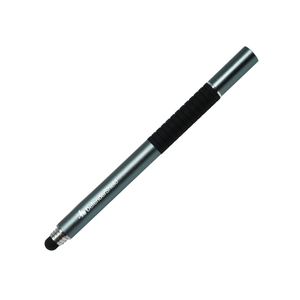
The rubber tip on one end is soft and responsive — use it for scrolling, swiping, tapping, and general touchscreen navigation on any device. The clear disk tip on the opposite end provides a visible contact point for precise tasks: selecting small interface elements, drawing, signing documents, or tapping links. Twist off the cap to switch between them. Both tips work on all standard capacitive touchscreens including phones, tablets, and touchscreen laptops.
Navigate Without Touching the Screen Directly
📱 A Physical Gap Between Your Finger and the Screen Surface
Every time you tap, scroll, or type on a touchscreen, your fingertip rests directly on the device’s surface. The stylus adds a physical separation — the pen’s tip touches the screen while your hand holds the pen body several inches away. This is particularly relevant during extended screen sessions on tablets and touchscreen laptops, where your fingers would otherwise rest on the display surface for long periods. Pair the stylus with a DefenderShield phone case or laptop shield for combined distance and directional EMF shielding.
How to use
1. Choose your tip. The rubber tip (default, exposed) is ready for general use. For precision tasks, twist off the cap to reveal the clear disk tip on the opposite end.
2. Hold like a pen. Grip the stylus at the textured finger grip area and use it on any capacitive touchscreen — phone, tablet, or laptop.
3. Replace the cap when done. Twist the cap back on to protect the rubber tip during carry and storage.
Care
• Wipe tips with a soft, dry cloth to remove dust and fingerprints.
• Do not press excessively hard — normal touchscreen pressure is sufficient for both tips.
• Replace the stylus if either tip becomes torn, flattened, or unresponsive.
Specifications
Specification
Detail
Product Type
Dual-sided touchscreen stylus (not EMF shielding)
Tip 1
Sensitive rubber tip — general touchscreen navigation
Tip 2
Clear disk tip — precision input and drawing
Cap
Twist-off with textured finger grip
Length
5.25”
Weight
~2 oz (0.125 lbs)
Compatibility
All capacitive touchscreens (phones, tablets, laptops)
EMF Shielding
None — reduces direct finger contact only
HSA / FSA Eligible
Yes — see if you qualify at checkout
Video